Getting started

    How to get started

    A webcam is optional. Point a camera at your playmat, or use Convoke's built-in playtester — then join a table and play Magic with friends online.

    Find a game

    What you'll need

    Prefer physical cards? An overhead webcam or phone is great — pick a stand setup below. Prefer digital? Skip the camera and use Convoke's native playtester instead. If you do use a camera, keep lamps off the cards to avoid glare.

    Best image

    Camera + stand

    Dedicated webcam or camera overhead

    Pair any 1080p+ webcam or camera with an Ailight TS6101 desk boom. The overhead angle keeps cards readable on Convoke.

    Recommended setup

    Ailight TS6101 stand

    Adjustable overhead desk boom — mounts your camera or webcam straight over your playmat.

    Pair it with

    Recommended webcam

    A solid 1080p+ webcam for clear overhead playmat video on Convoke.

    Recommended lighting

    ULANZI VL120 RGB LED light

    Rechargeable dimmable panel for even playmat lighting. Keep it off to the side so cards don't glare.
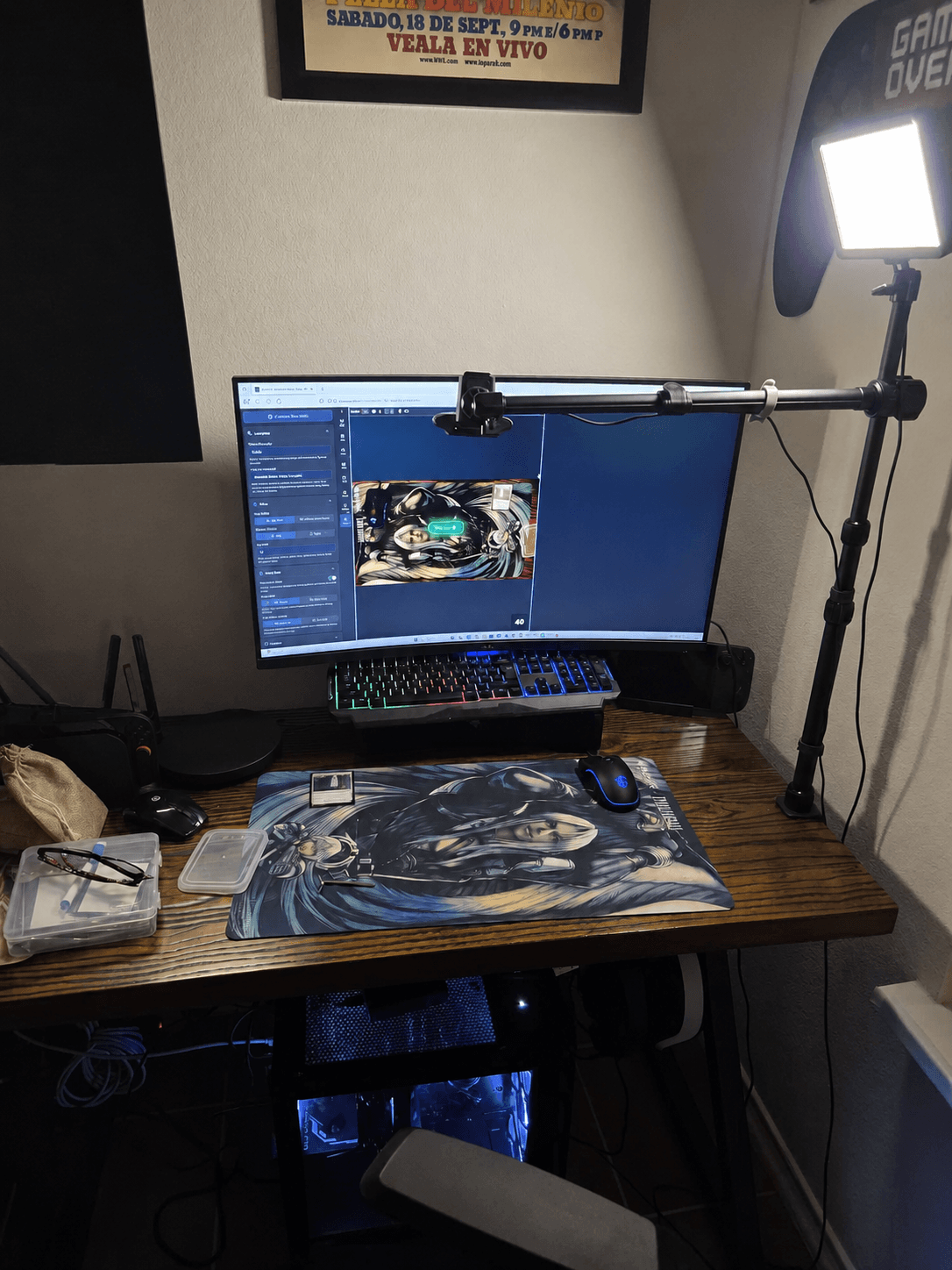
    Desktop setup with an overhead camera aimed at a Magic playmat
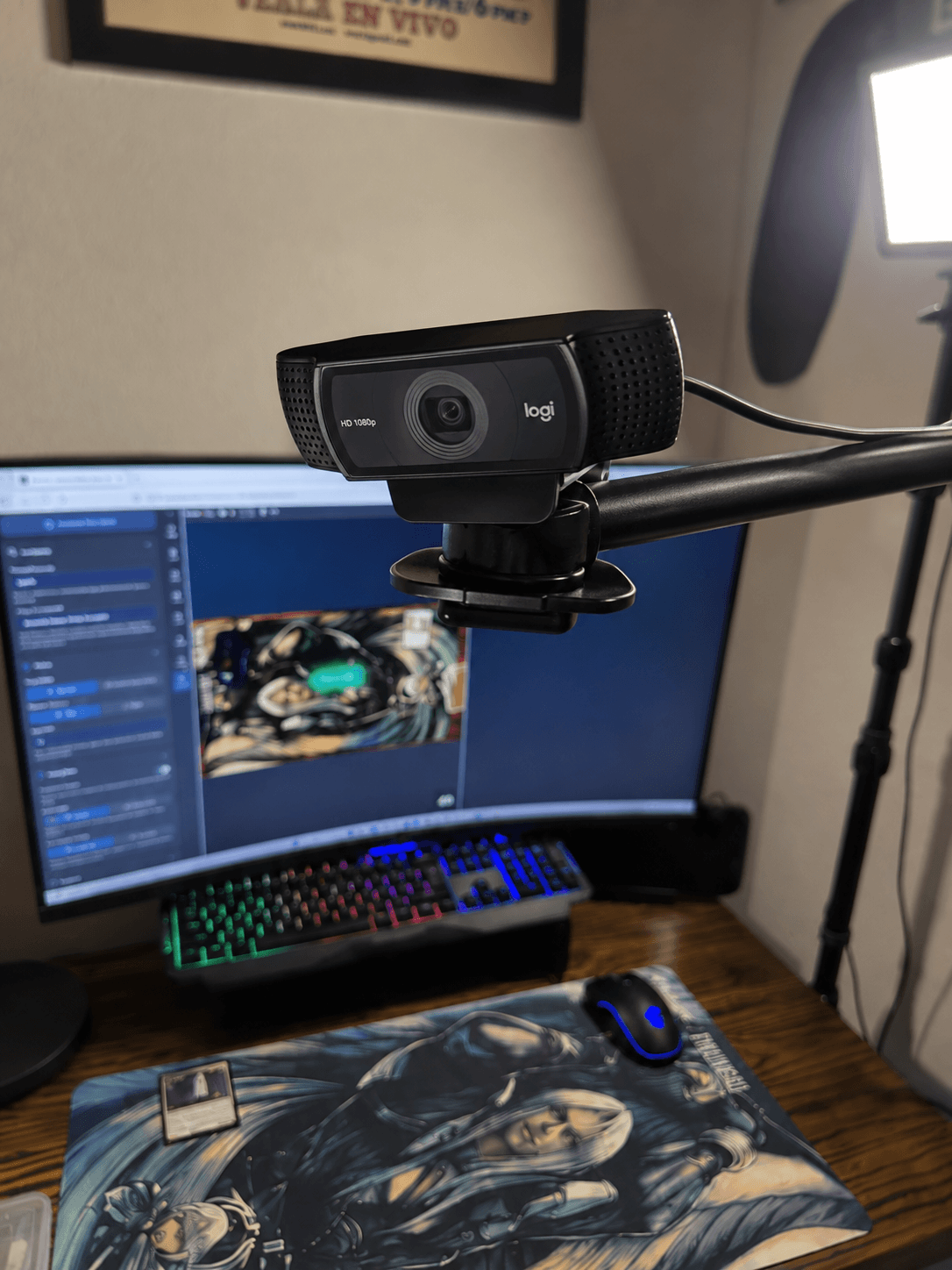
    Close-up of a Logitech 1080p webcam clamped to the overhead boom arm
    View on Amazon
    Camera or webcam mounted above the playmatPhoto by @vicp21

    As an Amazon Associate, Convoke earns from qualifying purchases.

    Buy on Amazon.com

    Setups from our players

    Real desks from the Convoke community!
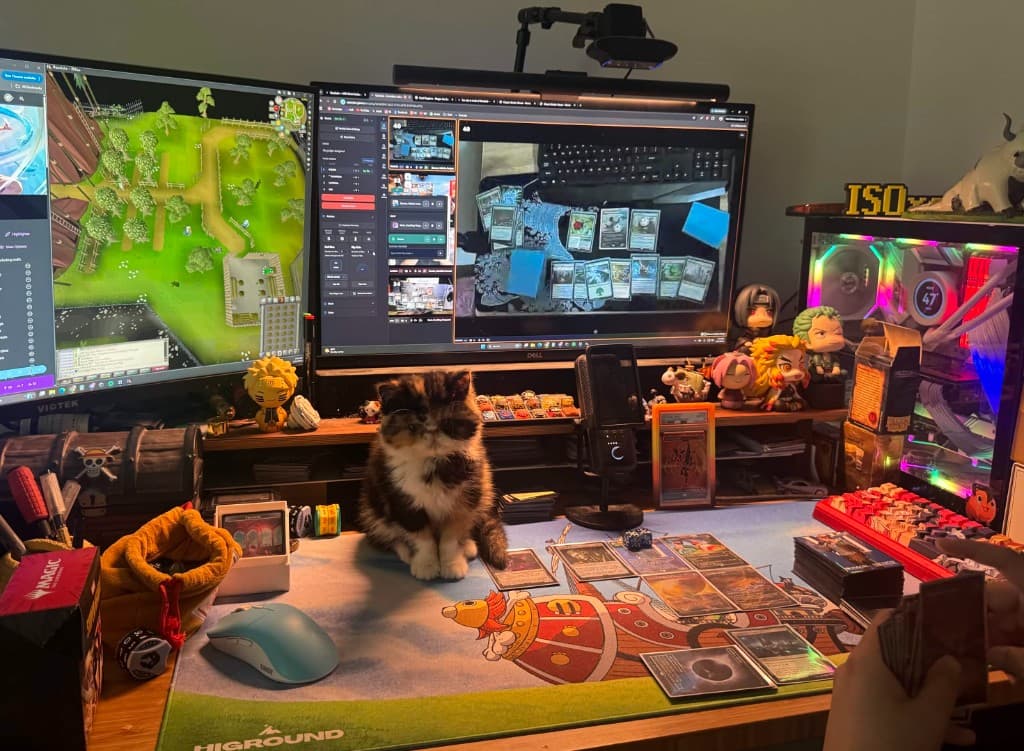
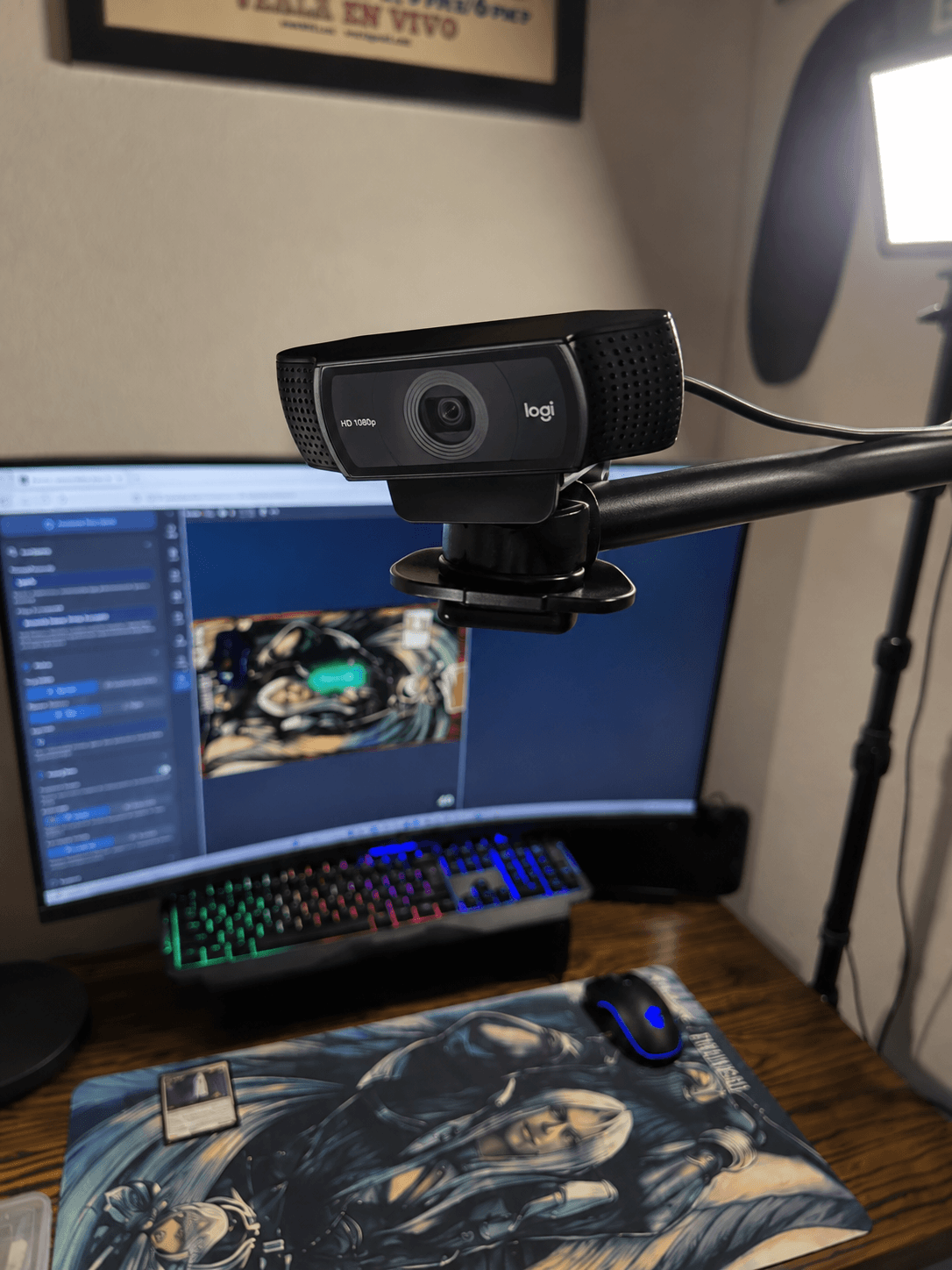
    Player desk with overhead webcam, Convoke on screen, and cards on a playmat
    Webcam on a boom arm over the playmatSetup by @APPA
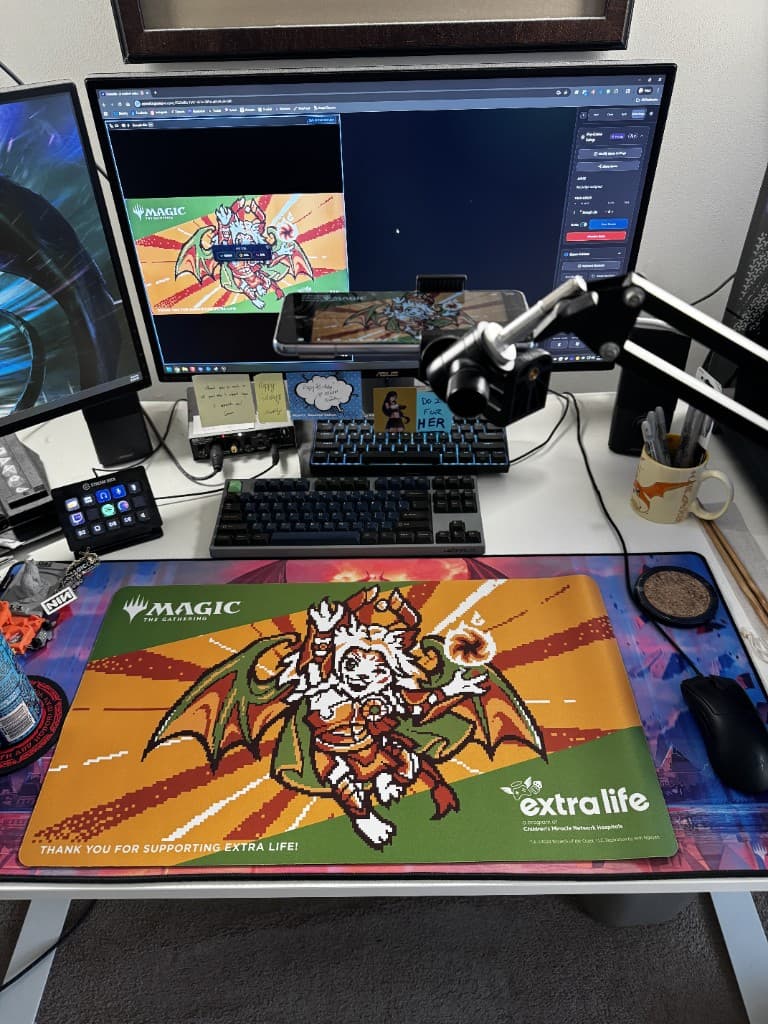
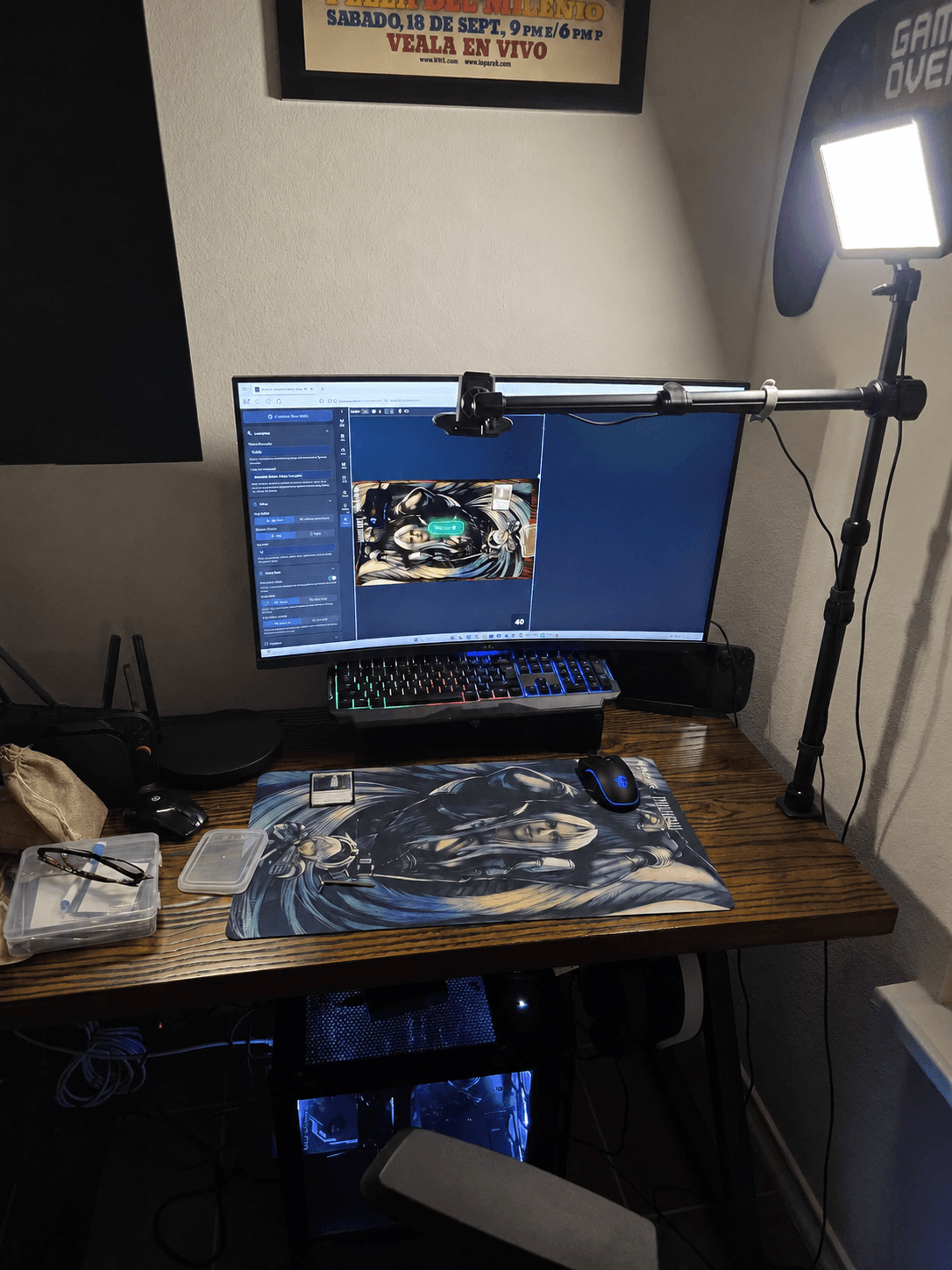
    Dual-monitor desk with phone on an articulating arm aimed at an MTG playmat
    Phone as the overhead cameraSetup by SeraphSix

    Setup guide

    How to set up for Webcam Magic on Convoke

    A full walkthrough of camera, arm mount, capture card, and desk gear — by lexicalunit (Amy), creator of SpellBot.

    Read on SpellBot

    Tips at the table

    The same Did you know? tips you'll see while joining a game — all 27 of them.
    1 / 27
    Webcam on an overhead stand showing the whole playmatRecommended for Convoke
    Close-up of a webcam clamped to the stand's boom arm
    Fits any webcam
    Camera setup

    The overhead stand we recommend for playing on Convoke

    Ailight TS6101 desk boom for any webcam

    • Your whole playmat in view, straight from above
    • Opponents can read and click every card
    • Clamps to your desk
    Buy the stand on AmazonOpens Amazon.com in a new tab

    As an Amazon Associate, Convoke earns from qualifying purchases.

    See the full setup guideOpens in a new tab
    Ready? Find a game
    Convoke

    How to get started

    What is Convoke?

    Convoke vs SpellTable

    Come play with us and join our Discord!

    Shop Dragon Shield5% off with convoke

    Play

    • How to get started
    • Find a game
    • Playtester
    • MTG card scanner

    Community

    • Find a guild
    • What is a guild?
    • How to set up guild wars

    Creators

    • Content creators
    • Partners
    • Twitch extension

    Legal

    • Terms
    • Privacy

    Support

    • About Us
    • Media Kit
    • Contact
    • Send Feedback
    • Support Us

    ©2026 Convoke is unofficial Fan Content permitted under the Fan Content Policy. Not approved/endorsed by Wizards. Portions of the materials used are property of Wizards of the Coast.

    ©Wizards of the Coast LLC. Portions of the materials used are property of Wizards of the Coast. ©Wizards of the Coast LLC.

    Translated by Frenglish

    Card icon by Freepik from Flaticon

    Phyrexian font by Phie (@PhieOrDie)